Introduction
Kling 1.5 vs Turbo 3.5
For this article we're going to compare our early results & testing of two AI generated video platforms, Runway AI & Kling AI. Our goal will be to compare costs, rendering quality, capabilities and other important factors when considering which tool is best for your use case. Also important is that we are clear which models we are using, and for this article we're testing Kling 1.5 vs Runway Turbo 3.5.
Another important factor to consider is that there are many tools available to help you render AI level video creatives, and I'll also mention them below. For our use cases, we found that these two tools felt like they had less overhead & learning curve to dive into and which specialize in video assets specifically, while many others have predominate features outside of video, like image generation etc. Lastly, it is also important to note that both Runway & Kling can create images and other AI generations, so we will only be focusing on the video creation tools.

Brief Overview
Runway has built a reputation for itself over the past few years as one of the few go to spots for generating AI content. Their models or engines can do image, video & effect generation. This includes text to video & video to video capabilities.

Brief Overview
Kling largely focuses on generating videos from image/video & from textual input, which is its original design. They are based out of China. Its overall look & feel is less polished in comparision to Runways focus on sleek platform design.
Interface, Platform & Userability
American Ingenuity vs Chinese Practicality
One of the first things you'll confront in a comparison is that Runway is significantly more polished and modern from an UI perspective. Runway feels like high-end silicone valley, what I'm saying is, it feels expensive. And when it comes to testing cutting edge tech, I prefer this feeling than what Kling offers.
Kling on the other hand feels like an Asian tech startup. Its all sorts of anime meets cyberpunk that we've come to appreciate. Kling is more clunky and juvenile in this respect. With that said both platforms even out when it comes to the actual video generation screens, and in this case, Kling actually does give you a sense of having more control, primary perhaps, because of the 'negative prompt' option at the very bottom.
Runway
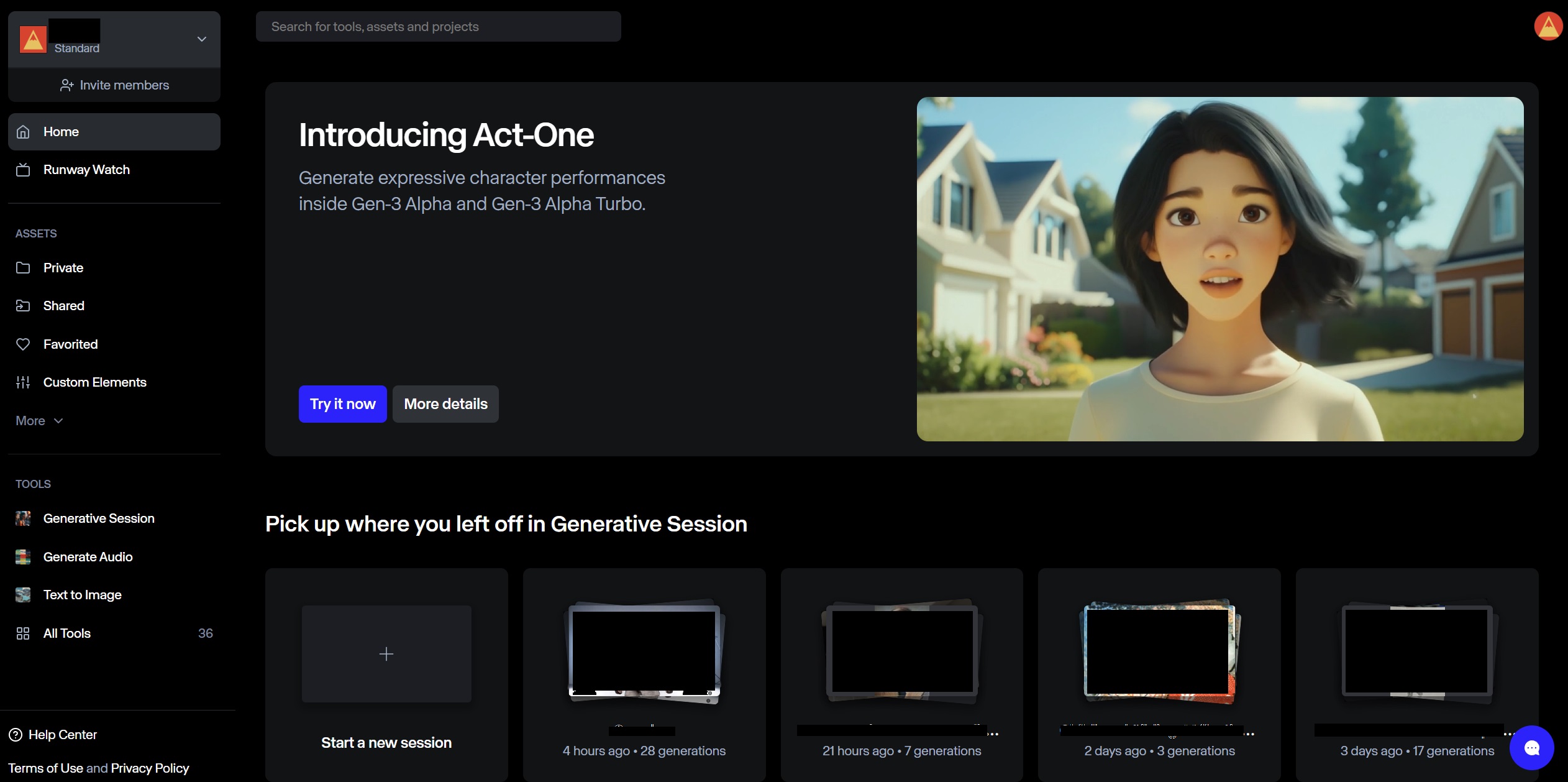
Runway Homescreen
More important than the branding & marketing is the video creation interface as this is where you will spend more of your time. And this is where small differences can make a huge difference over a long period of time.
Runway has a left sidebar menu where you can choose to generate from a prompt, use Act-One facial recognition software or use their video extender feature. The primary tool is the prompt where you guide it by uploading a video or image as your baseline. Runway interestingly enough says that the prompt in this case is "optional". Generally speaking you end up letting the AI take your creative assets and spitting out whatever it thinks is correct, and, generally speaking it does a great job.
Kling

Kling Homescreen
When it comes to Kling, their "Creative Space" has two primary options: Text to Video & Image to Video. From here you upload your asset, provide it instructions and let the magic happen. Kling goes an extra step further with the following options:
Motion Brush -This setting allows you to select an element from your image and draw lines that relate to the range of motion you want that element to move. A simple example is dragging a person who is standing on the left side of the image to the right. You can also indicate head movement.
Negative Prompt - I'll be honest I haven't had the need to use a negative prompt, but having a search engine marketing background I couldn't help appreciate having negative keywords to work with. This feature can likely make more elevated production jobs streamlined.
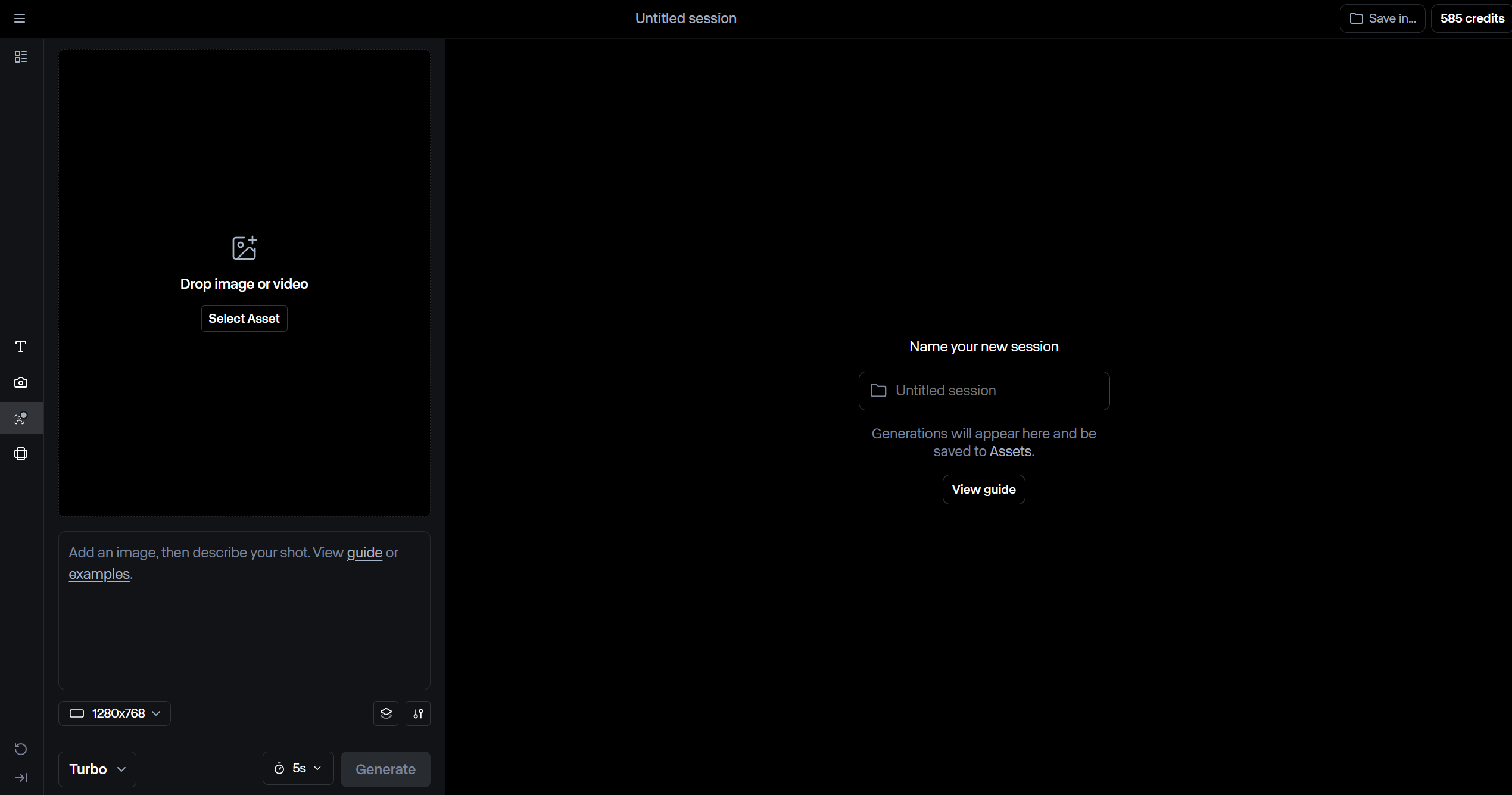
Runway Production Screen

Kling Production Screen
Video Quality
A Clear Winner - Runway
I can keep this section short because when it comes to raw video fidelity and quality Runway is consistently producing quality output. This may come at the cost of getting renders which are lifeless or barely moving, which I'll get into below, but it is very clear that Runway has prioritized ensuring a certain quality outcome most of the time you use the tool. And this is quality as it pertains to visual elements. And while Kling suffers from blurry, fuzzy and distorted faces it comes back swinging in terms of creativity and intelligence.
Runway
When this tool doesn't go outright corny or weird on your prompts, it has impressive control of the scene and very quickly wins your trust. In fact its so painful when it misses the prompt that you can't wait to reset and try again out of anticipation. When it gets it right, its very good. Clear & clean images that resemble a Hollywood movie, these outputs are ready for primetime.
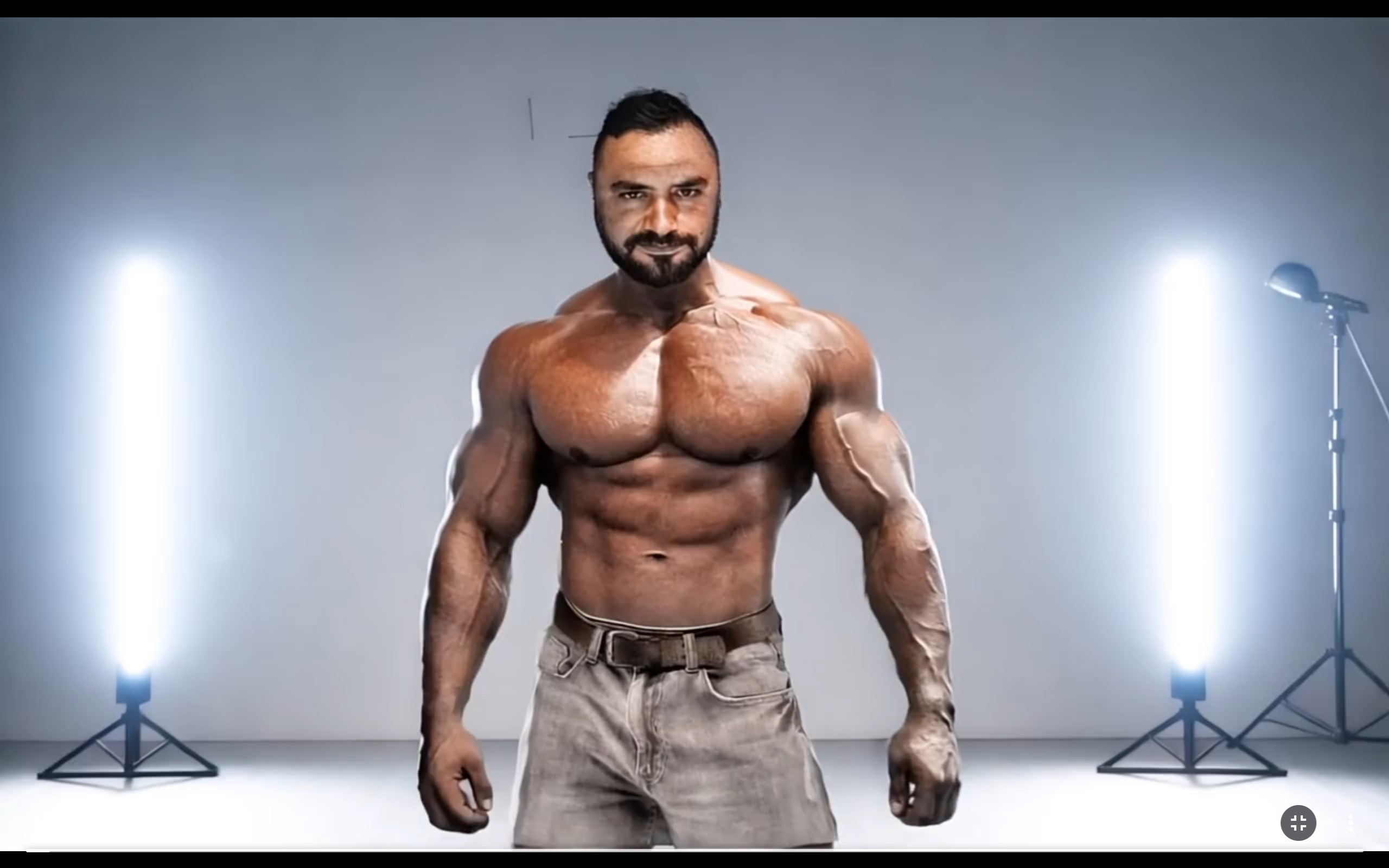
Runway AI - Gen 3 Alpha Turbo - Dynamic Motion Cinematic - Bodybuilder
Kling
Likely stemming from the general open-mindedness of Kling you never really do have a grip on what it might spit out. And this variable in performance does make you trust the tool less if you're in a crunch or its really gametime. Klings output often does end up being fuzzy. This is however quickly overlooked when you see how hard it tries to meet your demands. Although if I was going to rely on a tool to produce content I would want millions of people to see, Kling has work to do.
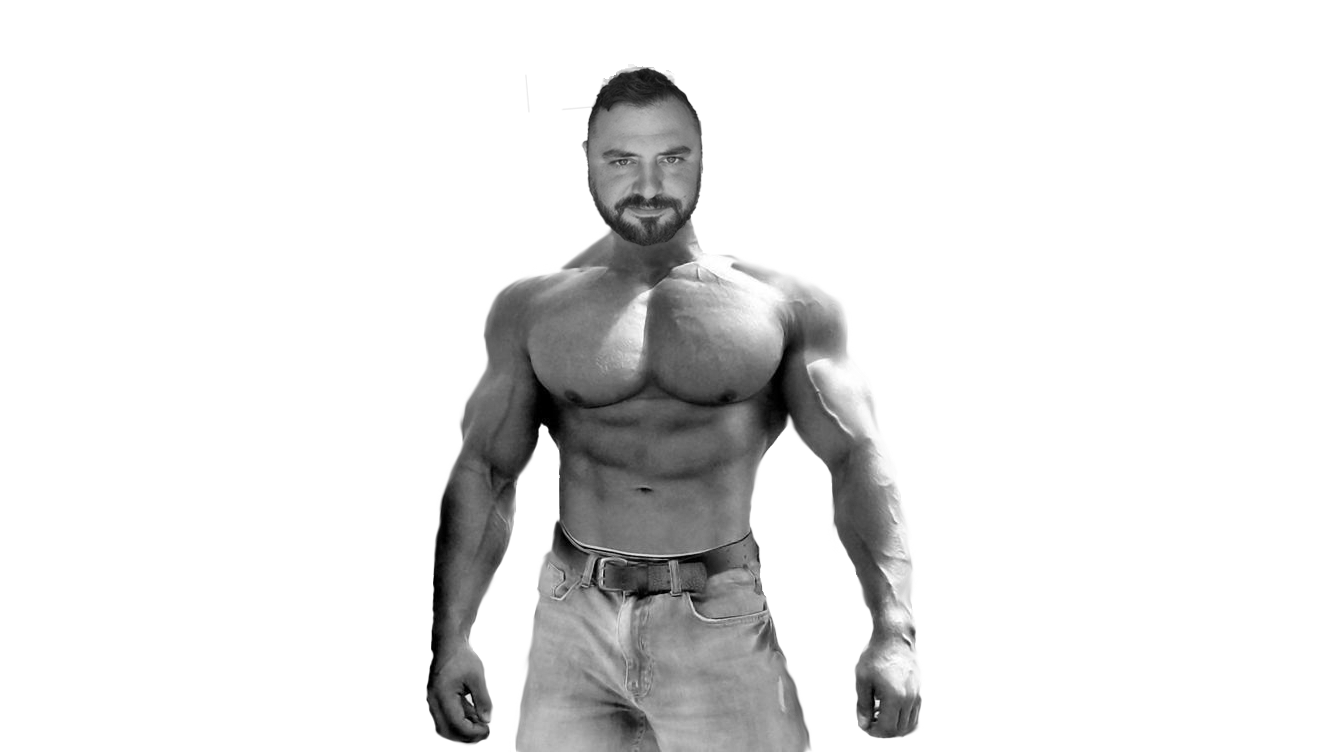
Kling AI - 1.5 - Black & White Bodybuilder
Intelligence & Creativity
Kling Is A Risk Taker With More Freedom
Comparing intelligence between two artificial intelligences is a bit challenging, simply because the width & depth of results could largely vary based on your experience with the platform or knowledge of its inner workings. I'll admit we're testing this as average users without any special training or experience and therefore this analysis is most useful for those evaluating a platform for beginners. If you press play and learn as you go.
Runway
This was likely the most frustrating part about this AI - its very limited in what you're allowed to do. No political figures or violence etc. This all makes sense until you want a video of a Spartan general riding a horse (blocked). Its also boring when your prompts using the term 'Trump' are blocked. Runway is very safe and it also takes a lot more prompting to get specific results. It was not atypical for Runway to return a result that was motionless and had no relation to the prompt.

Flagged: spartan general on a horse holding a flag with golden triangle
Kling
On the other hand Kling was an absolute joy to test the random and edgy intrusive thoughts you had. It was very easy to get Trump & Putin to walk down the street together and it was much eaiser getting still photos from the 50's to start moving and reacting. Kling was taking more risks, and this resulted in lower quality output like blurry faces, but at least I could get the generation to work. And it took a lot less time to get a desired output.

Trump & Putin going for a walk through Moroccan market
Final Thoughts And Observations
Pricing
There was also a very different reality when it came to the cost per result metric. The CPR is roughly $0.73 for Runway and $0.33 for Kling, making Kling more than 50% cheaper to generate videos. With this in mind Kling is a great platform to really learn video prompting as it's a lot more forgiving on the budget. Runway is best used when you have a clear vision and need a very specific result.
Runway - $0.73 per result
Kling - $0.33 per result
It will take you roughly $100 - $200 to create a stunning visual presentation over 20 seconds with the help of additional tools like Adobe in Runway for relevance.
Speed
This actually becomes a bigger and bigger issue the more you use the platform. And here Runway is almost like an instant high because its results are almost instantaneous, even if they are not it sure feels that way in comparison to Kling. Runway was pumping out videos and modifications with a minute most of the time. Compare that to the waiting 30 minutes on Kling or around 7 minutes with a subscription.
Runway - Roughly 1 minute per video
Kling - Up to 30 minutes (7 with subscription)
Learn On Kling, Produce On Runway